QR Codes for Museum Labels and Self-Guided Tours
A QR code on a museum label opens what the wall has no room for: an audio description with its transcript, a longer story, a translation. Give each object its own dynamic code and you also learn which objects people want more about, at what time of day, and in which languages, without asking anyone to fill in a survey.
This guide sets that up in QR Maker AI for one gallery, with the accessibility points that apply whether or not you use QR codes.
Facts checked on 26 October 2026.
The label still has to work on its own
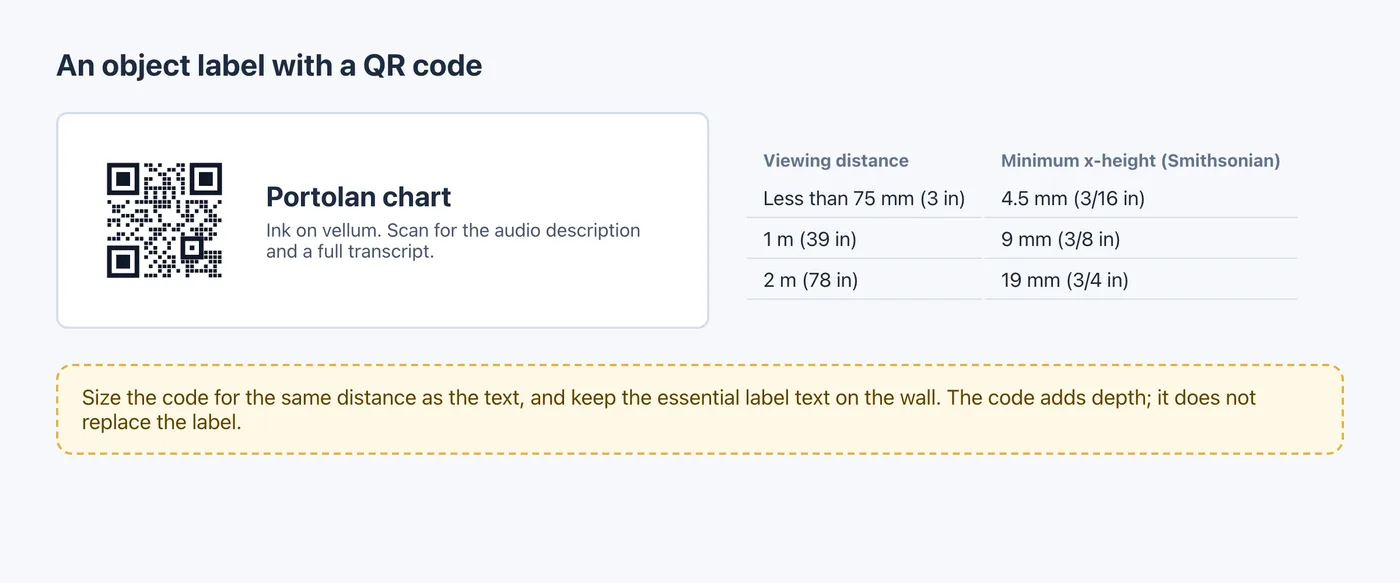
A code adds depth; it does not replace the label. The Smithsonian Guidelines for Accessible Exhibition Design say that essential information in label text "must be accessible to people who have difficulty reading English", and that label information must be available in the galleries "in alternative formats (e.g. Braille, audio) for people who cannot read print" (Smithsonian Accessibility Program). A phone-only audio guide does not cover the visitor without a phone, so keep the essentials on the wall and treat the code as an extra.
The same guidelines give type sizes by viewing distance. A code next to the text is read from the same distance, but these are type sizes, not code sizes; size the code with the calculator in Step 4:
| Probable viewing distance | Minimum x-height of label type |
|---|---|
| Less than 75 mm (3 in) | 4.5 mm (3/16 in) |
| 1 m (39 in) | 9 mm (3/8 in) |
| 2 m (78 in) | 19 mm (3/4 in) |
The guidelines also suggest mounting wall labels between 1220 mm (48 in) and 1675 mm (67 in) above the floor, with a centerline at 1370 mm (54 in) as the optimum height for both seated and standing visitors. Put the code at the same height, where a visitor in a wheelchair can hold a phone up to it.
For the page behind the code, the Web Content Accessibility Guidelines apply. Success Criterion 1.2.1 (Level A) asks for an alternative that "presents equivalent information for prerecorded audio-only content", in practice a transcript; one of the W3C's examples describes a transcript that "includes a verbatim record of everything the speakers say" (W3C). Prerecorded videos with sound need captions under Success Criterion 1.2.2 (W3C).
Step 1: one code per object
- Put each object's content on a page of your website or collection system.
- Create a dynamic code for each page in the generator. For a whole gallery, paste a CSV of names and URLs into the bulk page on Pro or Business; a name with a comma, such as "City map, 1871", needs double quotes in the file.
- Name the codes with the gallery and object number, such as "G3 – 01 Portolan chart", and set the same Folder in each code's Settings.
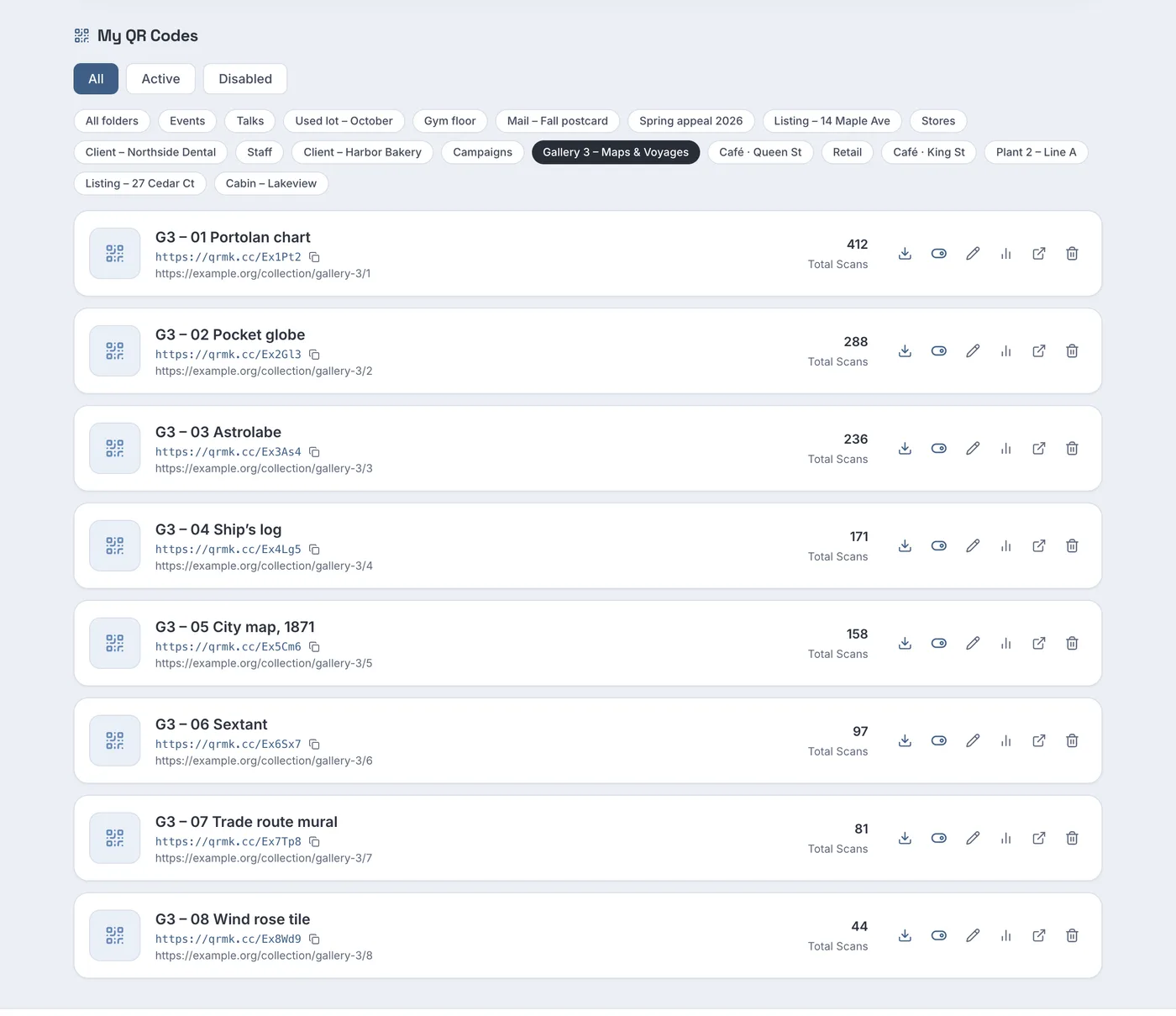
Screenshot from a demo account with sample data.
In the sample gallery, the portolan chart's code has 412 scans and the wind rose tile's 44. A low count can mean the object is less interesting, but also that its label is in a dark corner or behind a crowd; walk the gallery before drawing conclusions.
When an exhibition closes or travels, change each code's destination to the object's page in your online collection. The labels and catalogues already printed keep working.
Step 2: see when visitors scan
The When people scan (local time) heatmap on each code's analytics page shows day of week against hour. The analytics guide explains the other panels.
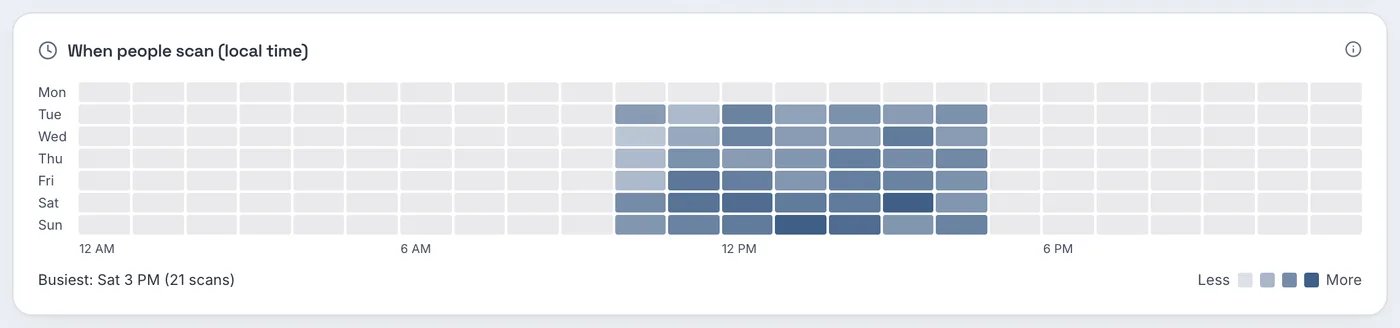
The sample museum is closed on Mondays and open 10 AM to 5 PM, and the heatmap shows exactly that, with the busiest hour on Saturday at 3 PM (21 scans). Scans clustering in one afternoon slot are a good hint for when a docent or a second audio stop would help.
Step 3: learn which languages visitors use
This is where QR codes beat a comment card. Each scan records the phone's preferred browser language, taken from the Accept-Language header, which "indicates the natural language and locale that the client prefers" (MDN). The Languages panel totals them.
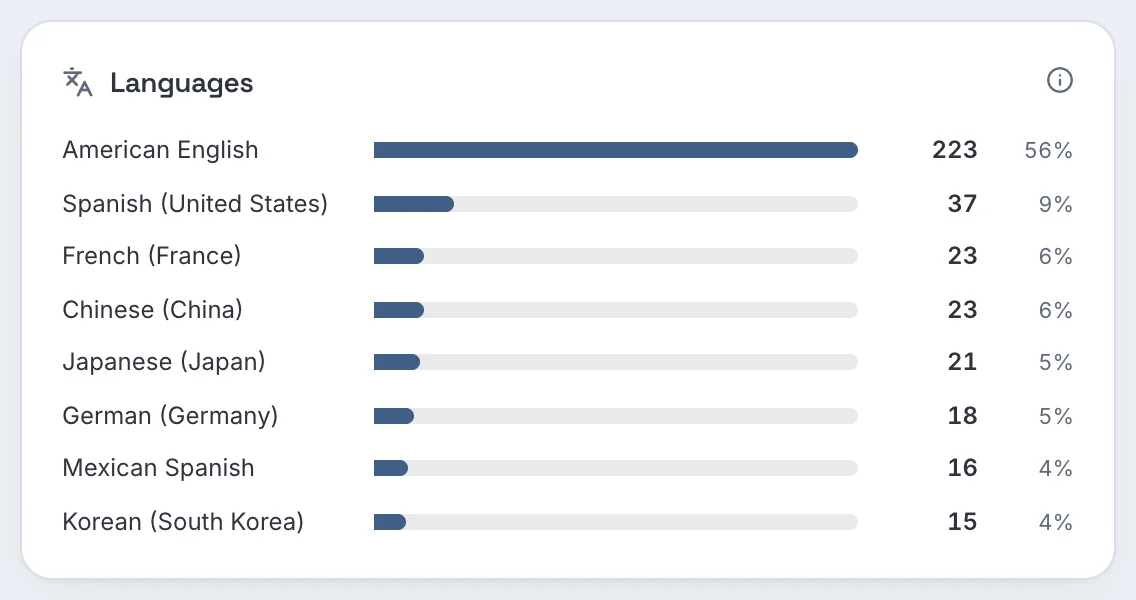
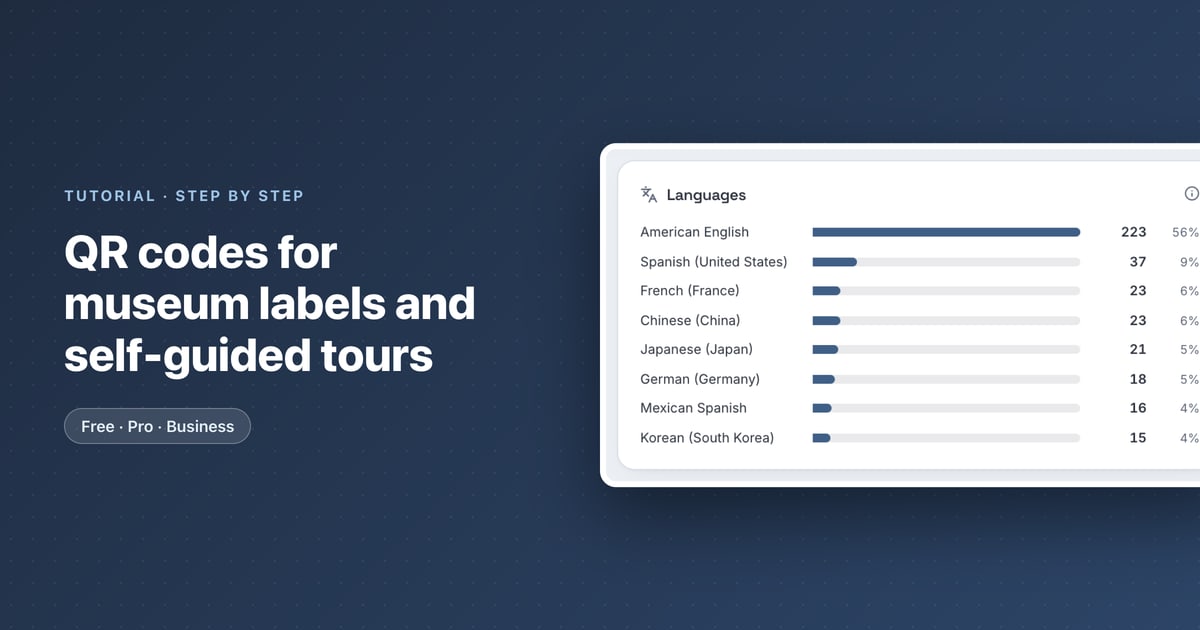
In the sample, after American English come Spanish (United States) with 37 scans, French and Chinese with 23 each and Japanese with 21. That is a defensible order for the next translations of your audio guide.
Do not use the country or region panels for this. They come from the network the phone used, so a tourist scanning inside your building can show up in your own state. The language setting travels with the phone; the network location may not.
Step 4: test before opening
- Scan every label in place, under gallery lighting, with an iPhone and an Android phone. Apple's instruction is to "hold your device so that the QR code appears, then tap the link to open the content" (Apple Support). Test from where a visitor actually stands, not from a ladder or behind the case.
- Mind the angle inside cases. The Smithsonian guidelines note that labels mounted at 45 degree angles to the front of a case are more accessible to people with low vision than labels lying flat on the case floor.
- Make sure the page loads on the gallery's Wi-Fi or mobile signal, which can be weak in basements and stone buildings.
- Keep the QR code size calculator at hand for codes on large wall panels that visitors read from a distance.
Which plan you need
| What you want | Free | Pro | Business |
|---|---|---|---|
| Dynamic codes, one per object | 3 active codes, 500 tracked scans a month | Unlimited | Unlimited |
| Folders, heatmap, languages panel | Yes | Yes | Yes |
| Bulk creation from a CSV | No | Yes | Yes |
| Read-only access for curators, scan CSV export | No | No | Yes |
| Your museum's own short-link domain | No | No | Yes, one subdomain |
| Price as of October 2026 | $0 | $3.99 a month or $34.99 a year | $29 a month or $279 a year |
A gallery with more than three objects needs Pro, which also lifts the 500-scan monthly tracking limit. Business adds read-only access for curators and education staff and a scan export for annual reports. See the museums use case page and the pricing page.
FAQ
Can a QR code replace the museum label?
No. Accessibility guidance expects essential information on the label itself and in alternative formats in the gallery. The code adds audio, transcripts and longer content.
How can a museum tell which languages visitors speak?
Each scan records the phone's preferred language. The Languages panel of the code's analytics shows the totals.
What should an audio guide page include?
A transcript of the audio, and captions for any video with sound, so the content works for visitors who are deaf or hard of hearing.
What happens to the codes when the exhibition closes?
Change their destinations to the objects' online collection pages. Printed labels and catalogues keep working.
Sources
- Smithsonian Accessibility Program — Smithsonian Guidelines for Accessible Exhibition Design. Undated PDF; metadata shows created 2011, modified 2023. Accessed 25 October 2026.
- W3C — Understanding Success Criterion 1.2.1: Audio-only and Video-only (Prerecorded). Updated 6 September 2026. Accessed 25 October 2026.
- W3C — Understanding Success Criterion 1.2.2: Captions (Prerecorded). Updated 10 August 2026. Accessed 25 October 2026.
- MDN Web Docs — Accept-Language header. Last modified 4 July 2025. Accessed 25 October 2026.
- Apple — Scan a QR code with your iPhone or iPad. Apple Support, published 14 September 2026. Accessed 25 October 2026.