How to Put a QR Code on Your Presentation Slides
On this page
A QR code on your closing slide answers the question every speaker hears: "Will you share the slides?" The audience scans it while you take questions and gets your slides, links and a way to stay in touch. Make it a dynamic code and you can also see how many times it was scanned, and send it somewhere new after the talk, for example to the recording.
This guide covers the slide itself, a speaker page that collects contact details, and what the scan data says afterwards, using QR Maker AI.
Facts checked on 26 October 2026.
Step 1: make the code and put it on the slide
- Put your slides and resources on one page you control, such as a page on your website or a shared folder link.
- In the generator, paste that URL and save the code with a name like "Talk – Spring Retail Summit – slides & resources".
- Download the PNG. Pro and Business can also download SVG, which stays sharp at any size.
Then build the slide:
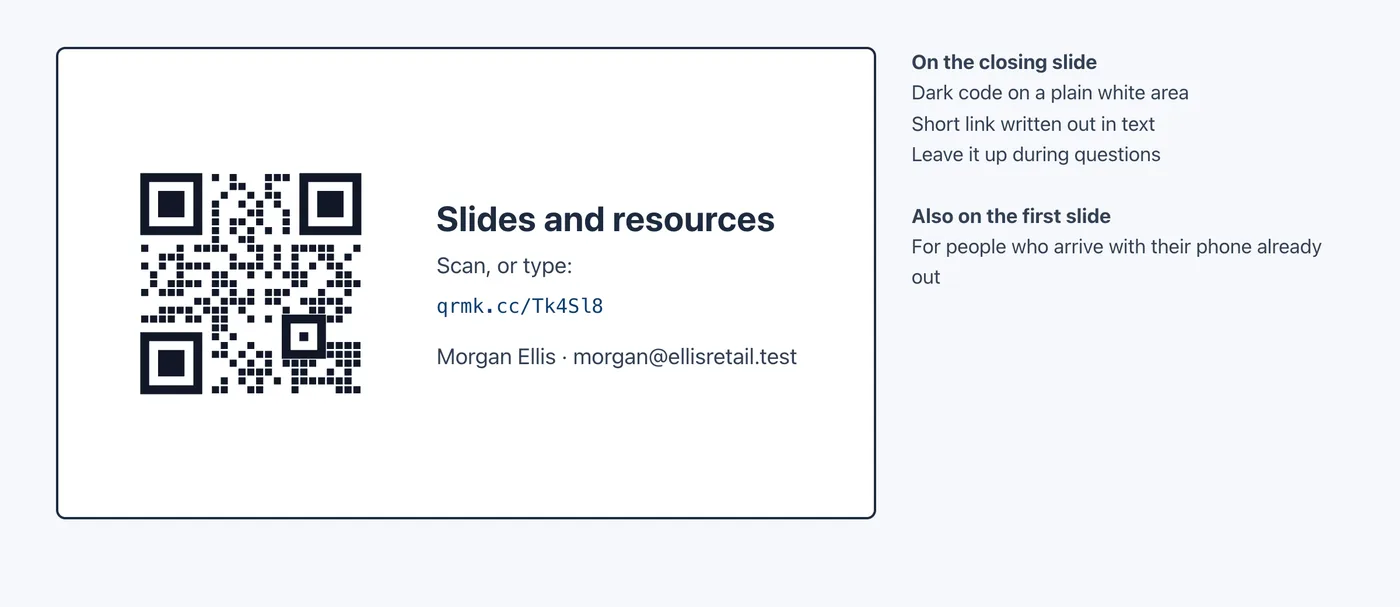
- Dark code on a plain light area. DENSO WAVE, which owns the QR Code trademark, advises printing codes "with black on a white background" and says "a white space worth 4 modules is needed around it" (DENSO WAVE FAQ). A code on top of a photo or a gradient is a risk on a washed-out projector.
- Write the short link as text. Not everyone can or wants to scan. The W3C's minimum contrast for normal text is 4.5:1 (W3C); dark text on the same white area passes easily.
- Add alt text to the image. In PowerPoint, right-click the image and choose View Alt Text. Microsoft explains that "Alt text helps people with visual disabilities understand pictures and other graphical content" and suggests 1–2 sentences (Microsoft Support), for example "QR code that opens the slides and resources at qrmk.cc/Tk4Sl8".
- Make it big. What matters is how large the code appears on the screen and how far away the back row sits. The QR code size calculator gives a minimum size for a distance; on a slide, make the code as large as the layout allows.
- Put it on the first slide too. People who arrive with their phone out can scan it before you start, and it stays useful if you run out of time.
Before the session, stand at the back of the room and scan the projected slide. Apple's instruction for iPhone is to "hold your device so that the QR code appears, then tap the link to open the content" (Apple Support). Leave the slide up during questions.
Step 2: a speaker page that collects contacts
If you want more than slide downloads, such as names for a workshop or consulting enquiries, send people to a page with a form. A Biz Page does this:
- Open Biz Page, click New Biz Page and choose the Freelancer template under Start from a template. On the Biz add-on or Business it adds a portfolio link, email, Save contact, Instagram and X profiles and a Lead form.
- Change the main link to "Slides and resources from today's talk" and point it at your resources page.
- Retitle the form, for example "Get the workshop outline", and ask only for name and email.
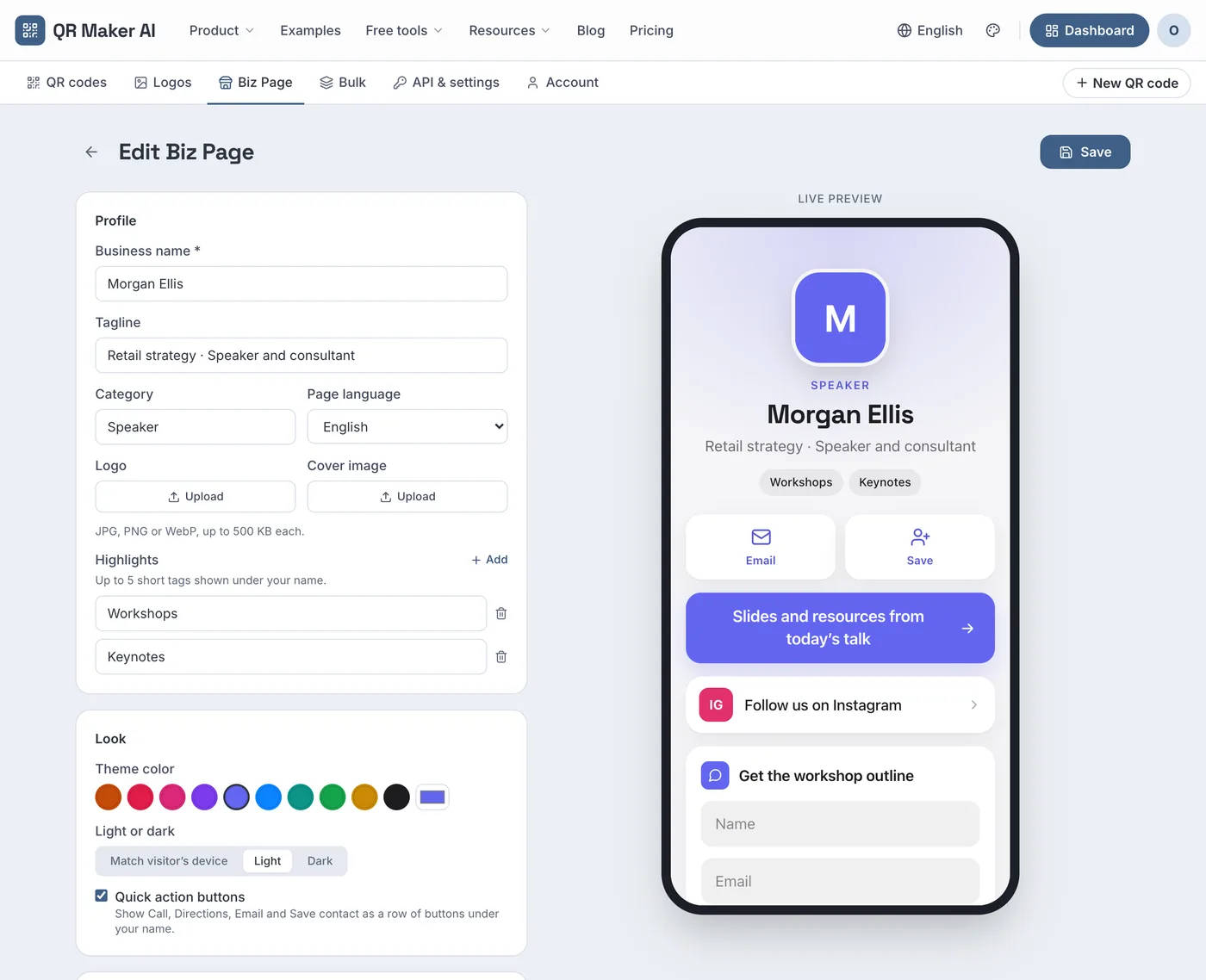
Screenshot from a demo account with sample data.
One choice to make: a Biz Page has its own static QR code (Generate QR), and a saved dynamic code cannot point at a qrmaker.ai page. So either put the Biz Page code on the slide and read its page views and leads, or put a dynamic code on the slide that opens your own resources page and read the scan analytics. For a one-off talk the Biz Page is simpler; for a talk you give many times, a dynamic code per event lets you compare events.
Step 3: read the scans after the talk
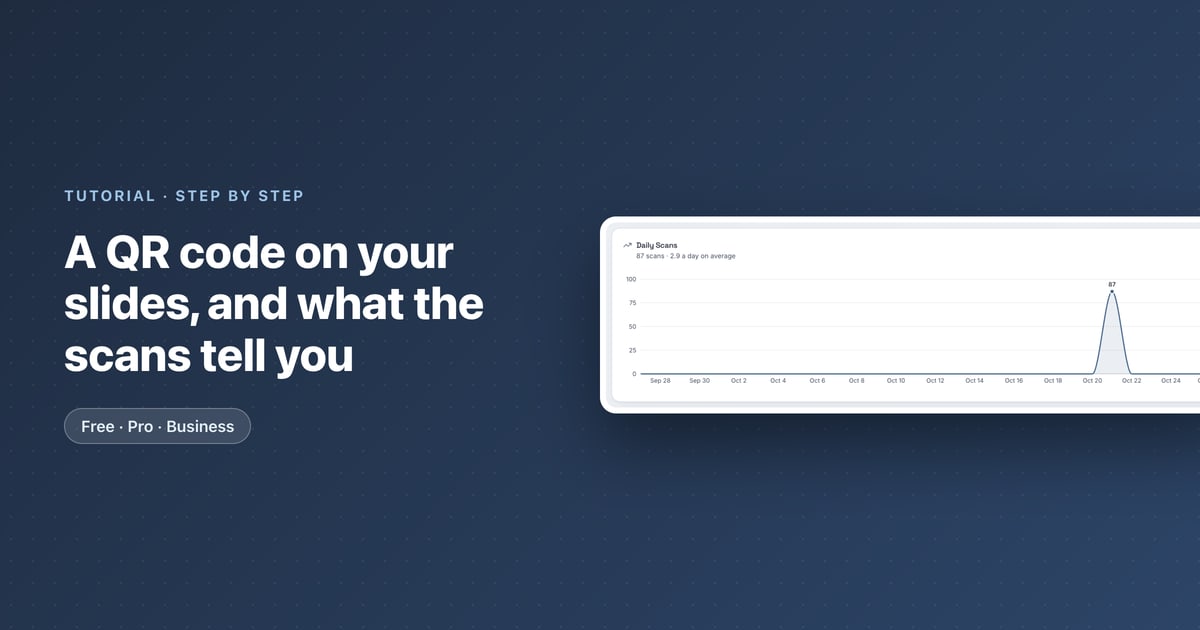
The dynamic code's analytics page shows how the talk landed (what each chart means).
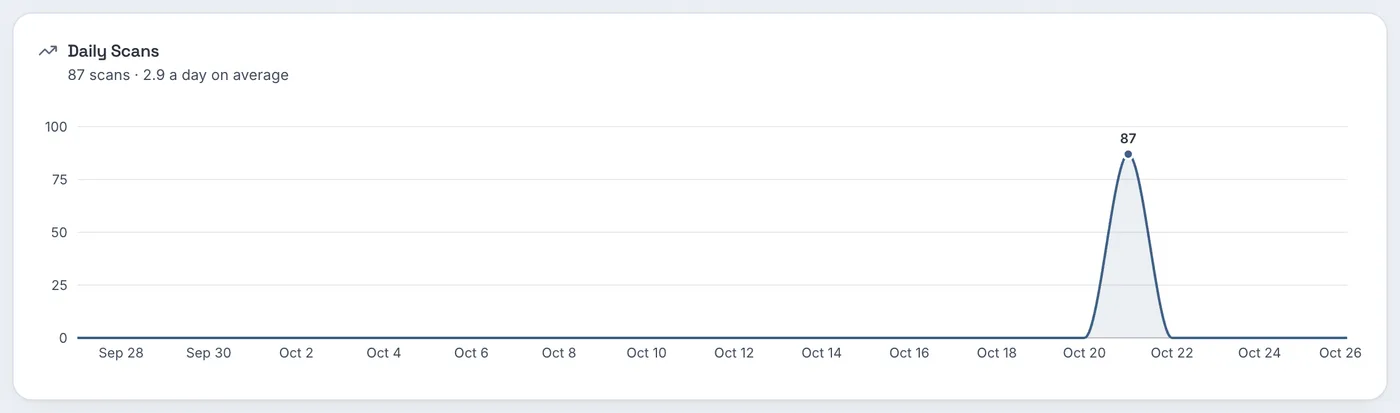
In the sample talk, scans are flat until the day of the talk and then jump to a single spike. The heatmap pins it down further: the busiest hour is Wednesday at 2 PM, with 47 scans, which is when the talk ran, followed by fewer scans later that afternoon and evening.
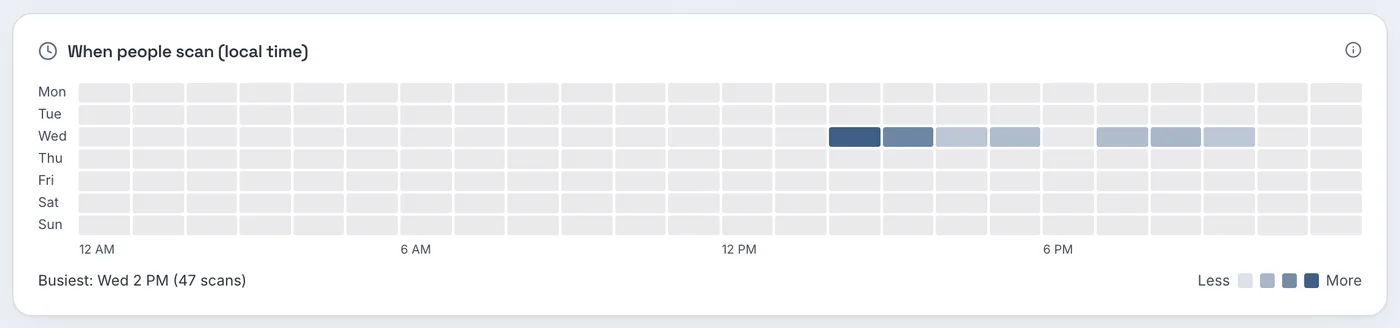
Compare scans with the head count. If 120 people attended and the code was scanned 47 times during the talk hour, that is about four scans for every ten people; one person can scan more than once. For a talk you give often, one code per event, each with UTM tags on the destination, lets you compare audiences; Google says to always use utm_source, utm_medium and utm_campaign and to remember that values are case sensitive (Google Analytics Help).
The region panel is likely to show the venue's state, because location comes from the network each phone used, not from where attendees live.
Step 4: after the talk
- Point the code at the recording when the organizer publishes it. Open the code with the pencil Edit button, change the Destination URL and click Save QR Code. Anyone who photographed your slide gets the recording.
- End event-only offers on time. On Pro and Business, set an expiry date in Settings; after that date the code shows a "Link Not Found" page.
- Use a new code for the next event rather than reusing this one, so each event's numbers stay separate.
Which plan you need
| What you want | Free | Pro | Business |
|---|---|---|---|
| Dynamic code for the slide, analytics | 3 active codes, 500 tracked scans a month | Unlimited | Unlimited |
| SVG download | No (PNG only) | Yes | Yes |
| Expiry date for event offers | No | Yes | Yes |
| Speaker Biz Page with lead form | No (Biz add-on: $2.99 a month) | No (Biz add-on) | Included |
| Price as of October 2026 | $0 | $3.99 a month or $34.99 a year | $29 a month or $279 a year |
A speaker with a talk or two a year can stay on the free plan. Regular speakers who want SVG files, a code per event and an expiry date need Pro; a speaker page with a lead form needs the Biz add-on or Business. See the trade shows use case page for related event ideas and the pricing page.
FAQ
How big should a QR code be on a slide?
As big as the layout allows. Its size on the screen and the distance to the back row decide whether it scans; test it from the back of the room.
Should I put the QR code on the first or the last slide?
Both. The last slide stays up during questions, and the first catches people who are ready before you start.
Can I change where the slide's QR code goes after the talk?
Yes, if it is a dynamic code. Change its destination to the recording, and every photo of your slide opens it.
Can I see who scanned my slide?
No. You see how many scans, when, on which devices and from which region. Names arrive only if someone fills in a form.
Sources
- DENSO WAVE — FAQ. QRcode.com, undated. Accessed 25 October 2026.
- W3C — Understanding Success Criterion 1.4.3: Contrast (Minimum). Updated 6 September 2026. Accessed 25 October 2026.
- Microsoft — Add alternative text to a shape, picture, chart, SmartArt graphic, or other object. Microsoft Support, undated. Accessed 25 October 2026.
- Apple — Scan a QR code with your iPhone or iPad. Apple Support, published 14 September 2026. Accessed 25 October 2026.
- Google — URL builders: Collect campaign data with custom URLs. Analytics Help, undated. Accessed 25 October 2026.