QR Codes for Gyms: Timetables, Videos and Trial Passes
On this page
Three QR codes do most of the work in a gym: one at the front desk that opens this week's class timetable, one on each machine that opens a short how-to video, and one on a trial pass flyer that stops working when the offer ends. All three should be dynamic codes, so the printed sign stays put while the timetable, the video or the offer changes.
This guide sets them up in QR Maker AI and shows what the scans say about when members use them.
Facts checked on 26 October 2026.
Step 1: a timetable code that never needs reprinting
- Keep the timetable on one web page, or a shared document link that stays the same when you update it.
- In the generator, paste that link and save the code as "Front desk – class timetable".
- Print it at the front desk, by the studio door and in the changing rooms, with a line such as "This week's classes".
When the timetable moves to a new page, open the code with the pencil Edit button, change the Destination URL and click Save QR Code. The signs stay on the wall.
Each code's analytics page shows when people scan, in their local time.
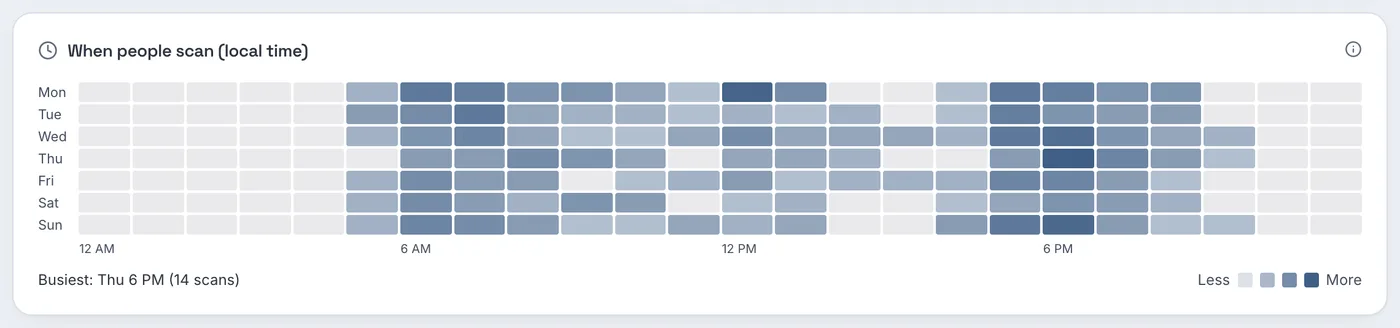
Screenshot from a demo account with sample data.
The sample gym's timetable code is scanned most before and after typical working hours, with the busiest hour on Thursday at 6 PM (14 scans). If your heatmap looks like this, put a copy of the code where people wait at those times, such as the entrance or the studio door, not only on the desk.
Step 2: a how-to video on every machine
A short video showing setup and form is easier to follow than a sticker of instructions. Two choices make it work.
Host the videos as unlisted. YouTube says "Unlisted videos and playlists can be seen and shared by anyone with the link" and that they do not appear in search results unless someone adds them to a public playlist (YouTube Help). That suits gym videos: members who scan can watch, and the channel stays tidy.
Caption them. A gym floor is noisy, and captions let members follow the video without sound. The Web Content Accessibility Guidelines ask for captions on prerecorded video with audio (Success Criterion 1.2.2, Level A) (W3C). YouTube's automatic captions help, but YouTube itself warns they "might misrepresent the spoken content" and advises "Always review automatic captions" (YouTube Help).
Then create one code per machine. With more than a handful, paste a CSV of names and video links into the bulk page (Pro and Business). Set a Folder such as "Gym floor" in each code's Settings, and the dashboard shows which machines' videos get watched.
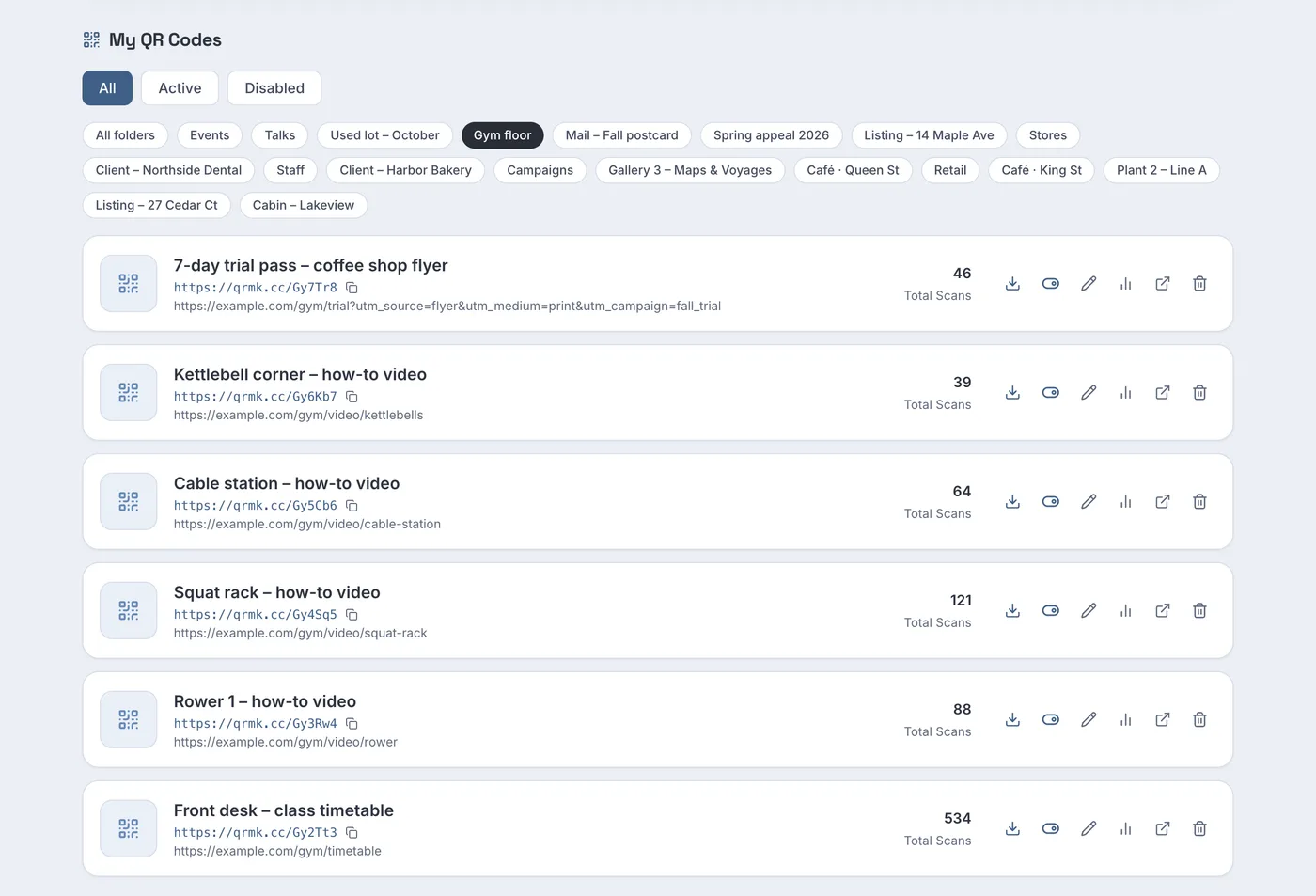
In the sample, the squat rack video has 121 scans, the rower 88, the cable station 64 and the kettlebell corner 39. A video that is rarely scanned may be on a machine everyone already knows, or its label may be where nobody looks; move the label to eye level at the starting position before deciding the video is unnecessary.
When a machine is replaced, record a new video and change the code's destination. The label can stay if the new machine sits in the same spot.
Step 3: a trial pass flyer with an end date
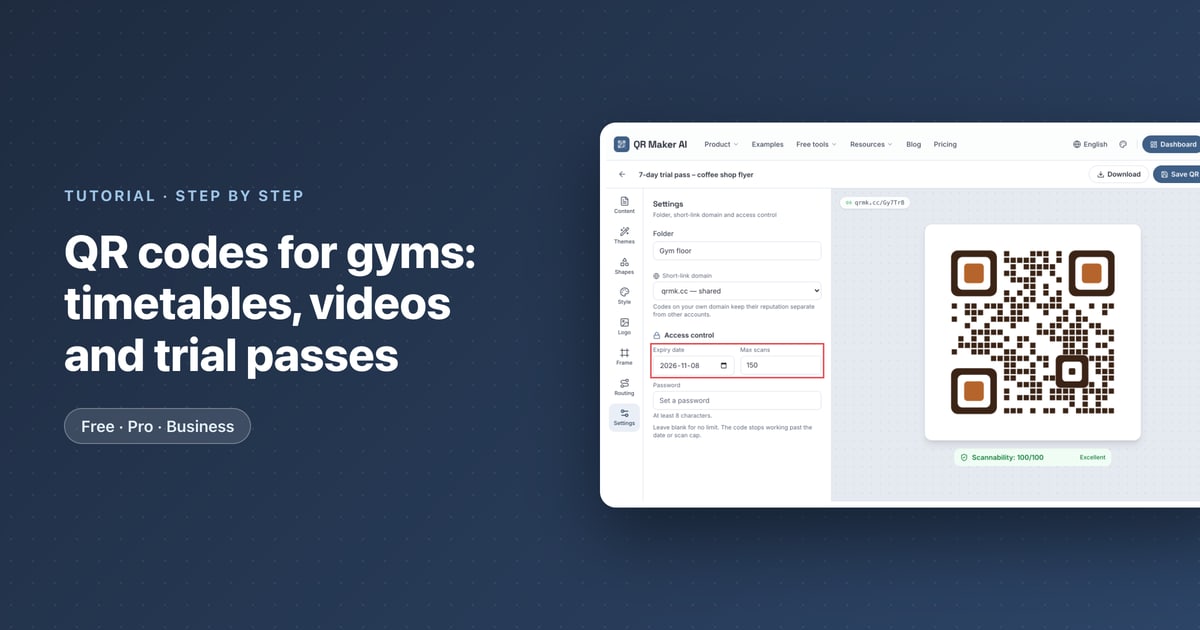
A "7 days free" flyer left in a coffee shop keeps circulating long after the campaign. On Pro and Business, a code can stop on its own (how expiry and scan limits work):
- Create the code for the trial sign-up page and tag the URL so your website analytics know where sign-ups came from. Google says to always use
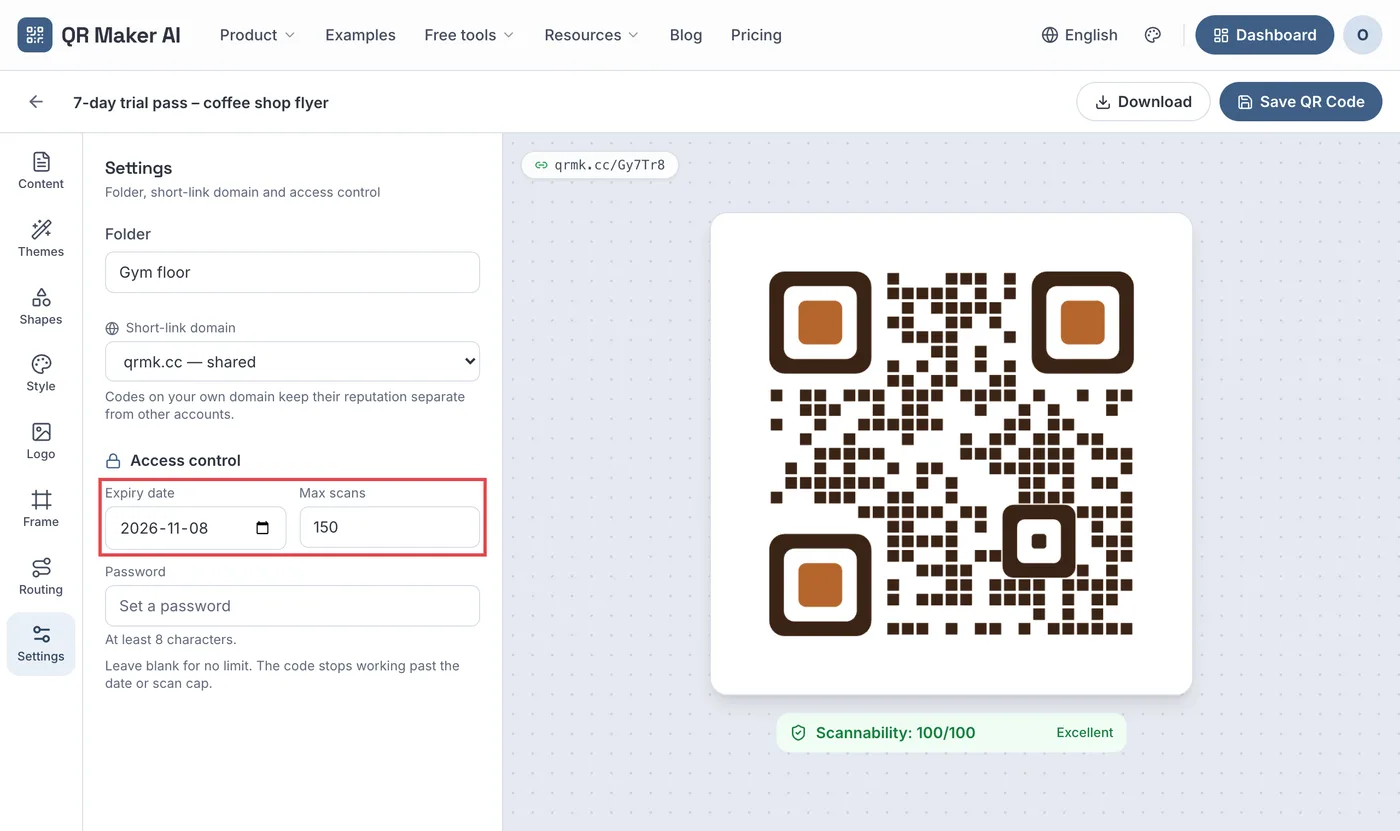
utm_source,utm_mediumandutm_campaign, and that "Parameter values are case sensitive" (Google Analytics Help), for exampleutm_source=flyer&utm_medium=print&utm_campaign=fall_trial. - Open the code, go to Settings and, under Access control, set an Expiry date. Optionally set Max scans to cap the total.
- Click Save QR Code.
What to expect:
- The code stops at the end of the chosen day, in the time zone of the browser you used to save it. After that it opens a "Link Not Found" page instead of your sign-up form.
- Max scans counts scans, not people or sign-ups. It counts every scan since the code was created, so one person scanning twice uses two. Bots and link previews do not count.
- A friendlier option is to keep the code running and change its destination to a page that says the trial has ended and shows the current offer. Use the expiry date when the offer must stop, for example because the trial is capped.
Print the end date on the flyer as well, so people are not surprised.
Before printing any of these, test each code with an iPhone and an Android phone. Apple's instruction is to "hold your device so that the QR code appears, then tap the link to open the content" (Apple Support).
Which plan you need
| What you want | Free | Pro | Business |
|---|---|---|---|
| Timetable code, change destination, heatmap | Yes (3 active codes, 500 tracked scans a month) | Yes, unlimited codes | Yes, unlimited codes |
| One code per machine from a CSV | No | Yes | Yes |
| Expiry date and max scans | No | Yes | Yes |
| Read-only access for trainers and managers | No | No | Yes |
| Price as of October 2026 | $0 | $3.99 a month or $34.99 a year | $29 a month or $279 a year |
A studio with a timetable and two other codes fits the free plan. A gym floor with a video on every machine, or a trial flyer with an end date, needs Pro. Business adds read-only access for managers across locations. See the gyms and fitness use case page and the pricing page.
FAQ
How do I update a gym timetable QR code without reprinting?
Make it a dynamic code and change its destination when the timetable moves. If the timetable page itself is updated in place, nothing changes in the code.
Should equipment videos be public on YouTube?
Unlisted is enough: anyone with the link, including members who scan the code, can watch, and the videos stay out of YouTube search unless someone adds them to a public playlist.
Can a QR code for a free trial expire?
Yes, on Pro and Business. Set an expiry date, and after that day the code shows a "Link Not Found" page.
Does max scans limit how many people sign up?
No. It limits scans of the code, and the same person can scan more than once. Limit sign-ups on the sign-up page itself.
Sources
- Google — Change video privacy settings. YouTube Help, undated. Accessed 25 October 2026.
- W3C — Understanding Success Criterion 1.2.2: Captions (Prerecorded). Updated 10 August 2026. Accessed 25 October 2026.
- Google — Use automatic captioning. YouTube Help, undated. Accessed 25 October 2026.
- Google — URL builders: Collect campaign data with custom URLs. Analytics Help, undated. Accessed 25 October 2026.
- Apple — Scan a QR code with your iPhone or iPad. Apple Support, published 14 September 2026. Accessed 25 October 2026.