QR Codes for Car Dealers: One Code per Vehicle
On this page
A QR code on a car's window card lets a shopper on the lot open that vehicle's page, with photos, price and history, on their own phone, even after closing time. The setup that works is one dynamic code per vehicle, created in bulk from your inventory list, printed on a card of your own next to the required federal labels, and repointed when the car sells.
This guide shows that setup in QR Maker AI and what the scan counts tell you about the lot.
Facts checked on 26 October 2026.
What is already on the window
New cars already carry a QR code. The federal fuel economy label rule tells manufacturers to "include an image of a QR code that will direct mobile electronic devices to an EPA-specified Web site with fuel economy information", generated as specified in ISO/IEC 18004 and captioned "Smartphone QR Code" (40 CFR 600.302-12(b)(6)).
For used cars, the EPA offers a used vehicle label on fueleconomy.gov. It shows the fuel economy and a QR code that shoppers can scan "to personalize the fuel economy information with their annual mileage, percent of driving in the city, and current fuel prices"; the paper version can be printed and attached to the window (EPA).
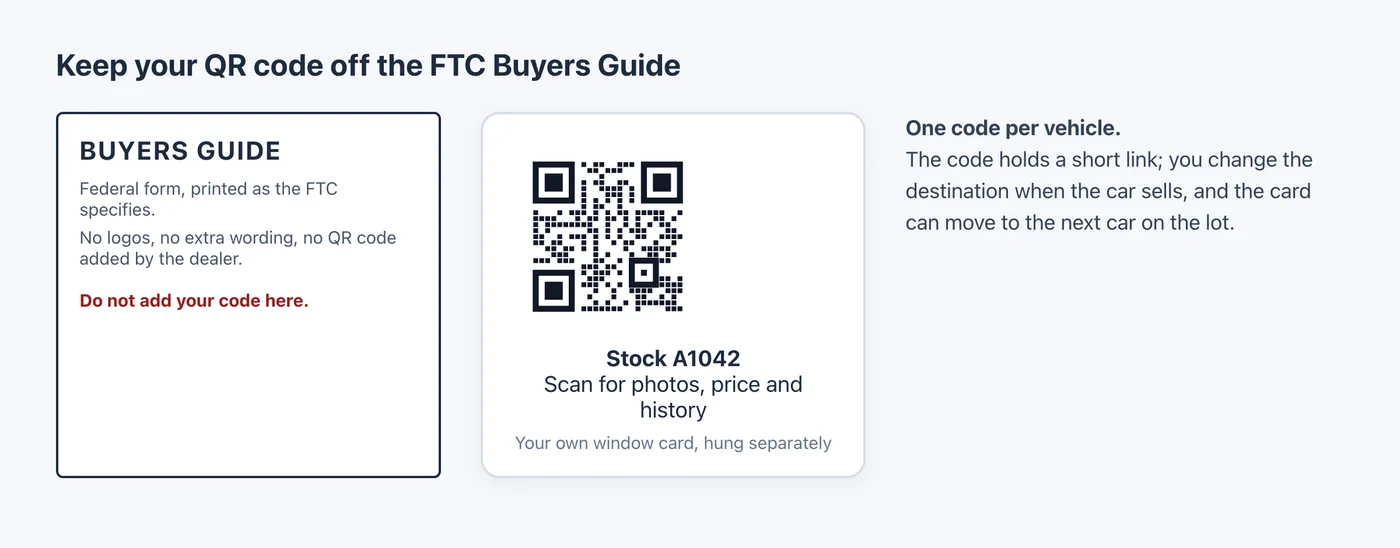
Used cars also need the FTC Buyers Guide. The FTC's dealer guide says the rule covers dealers who "sell, or offer for sale, more than five used vehicles in a 12-month period", that the guide must be posted before a car is shown for sale, and that you may not add "any other wording or symbols (including logos)" to it (FTC). So your own QR code goes on a separate card or hang tag, never on the Buyers Guide. This is not legal advice; check the rule and your state's requirements.
Step 1: create a code for every car from a CSV
Export your inventory to a spreadsheet with two columns: a name and the vehicle page URL. Put the stock number first in the name so you can search the dashboard by it. A name that contains a comma must be wrapped in double quotes:
name,url
Stock A1042 - 2021 compact SUV,https://example.com/inventory/A1042
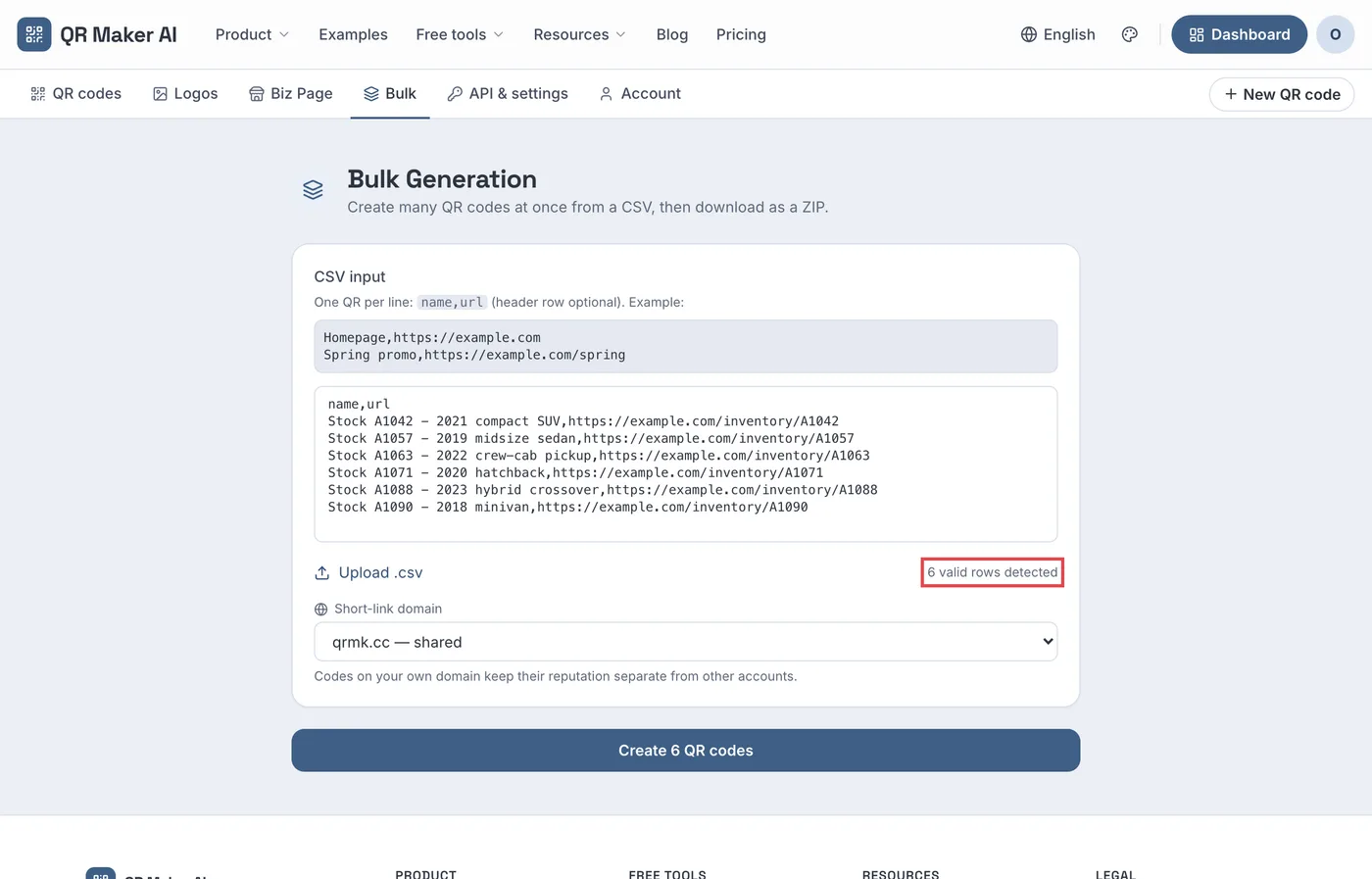
Stock A1057 - 2019 midsize sedan,https://example.com/inventory/A1057- Open the Bulk tab at the top of your workspace, paste the rows into CSV input (or use Upload .csv).
- Check the row count it detects. Lines without a valid
http://orhttps://URL, including the header, are not counted. - On Business, pick the Short-link domain, such as your own
go.yourdealership.com. - Click Create 6 QR codes (the number matches your rows), then Download ZIP (PNG) for the print shop.
Screenshot from a demo account with sample data.
The bulk creation guide covers the CSV rules in more detail. If your dealer management system can call an API, Business also creates codes with a REST call, one vehicle at a time or up to 100 per request (REST API guide).
Print a short line next to the code, such as "Scan for photos, price and history", and test one card before printing the batch. Apple's instruction for iPhone is to "hold your device so that the QR code appears, then tap the link to open the content" (Apple Support).
Step 2: group the lot and see which cars draw attention
The bulk page reads only a name and a URL. To group the codes, open each one, go to Settings and set a Folder, for example "Used lot – October". The dashboard then filters by folder and shows each vehicle's total scans.
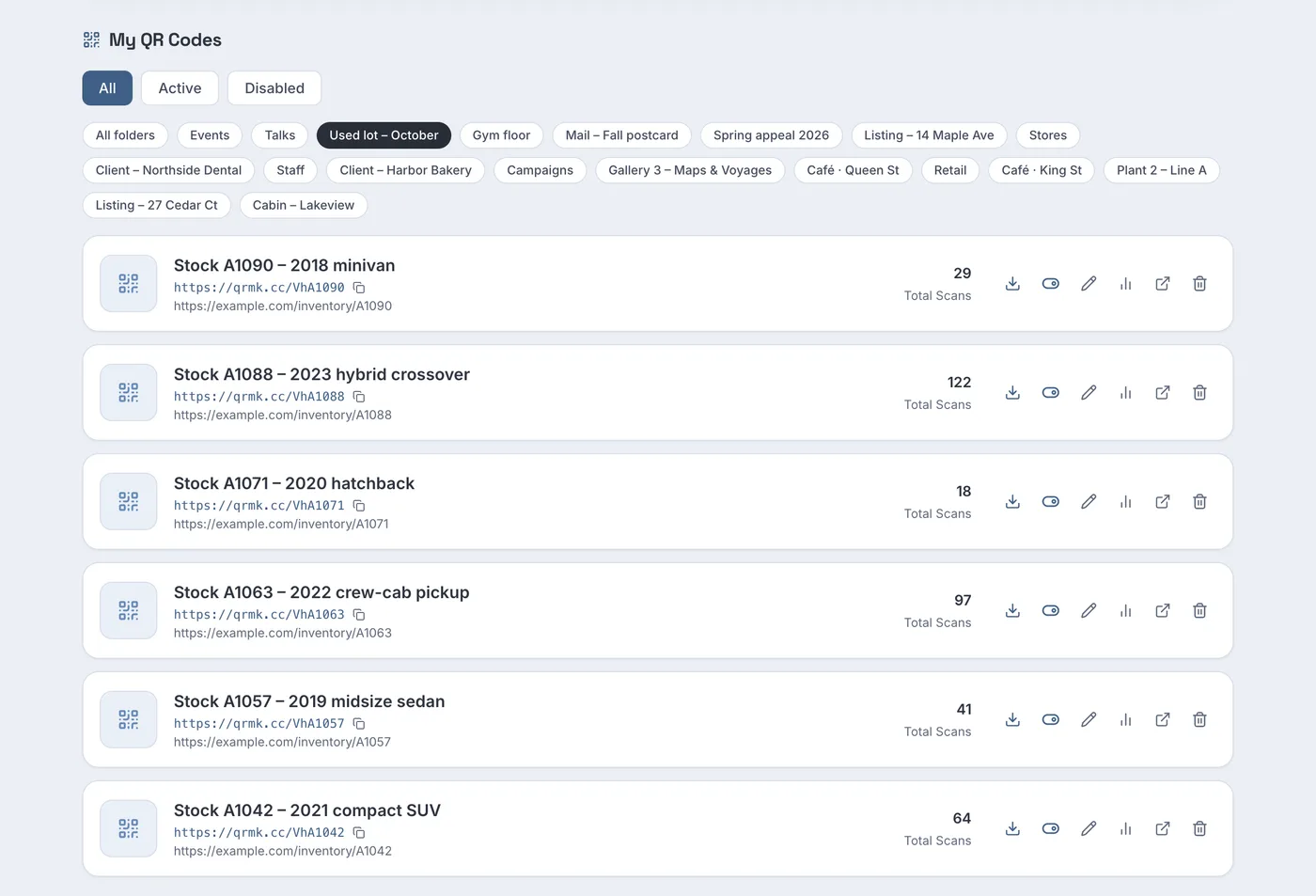
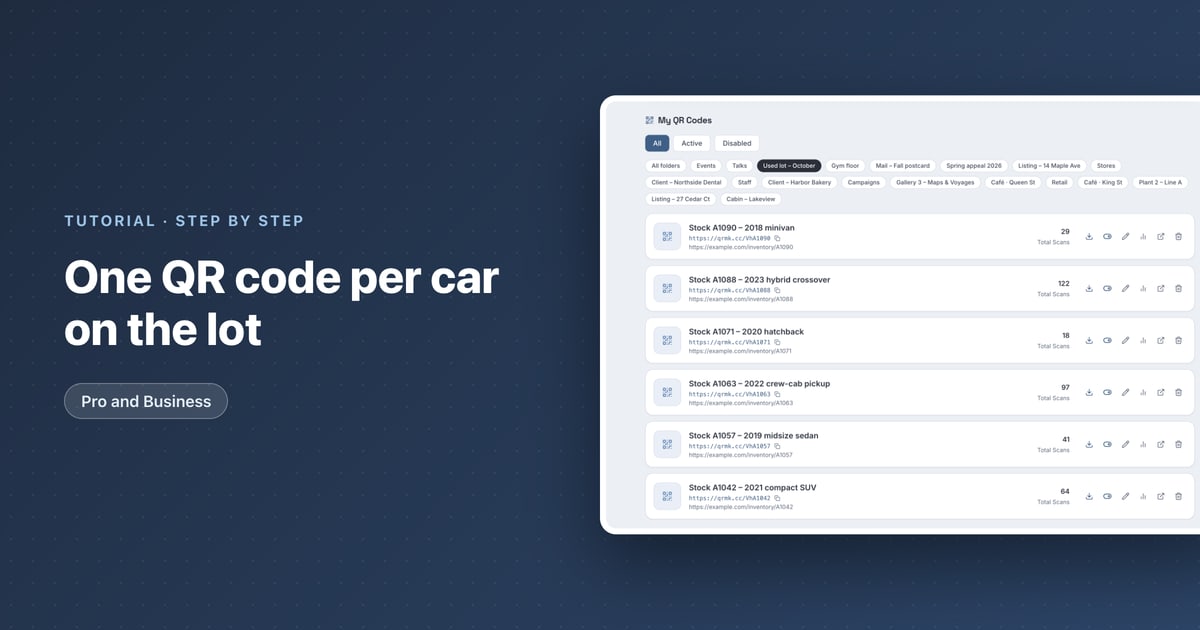
In the sample lot, the 2023 hybrid crossover has 122 scans and the 2020 hatchback 18. Scans are not leads, but a car that many people scan and nobody asks about is worth a second look at its price or photos.
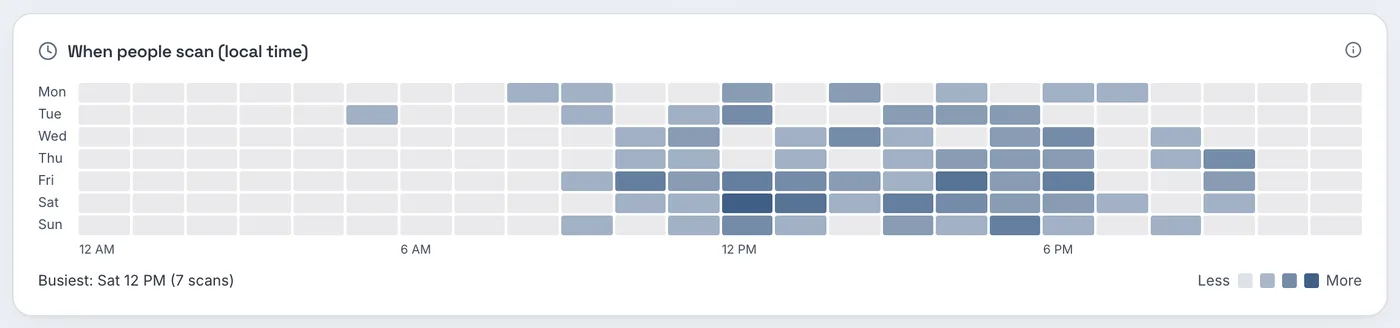
Each code's heatmap shows when people scan in their local time. In the sample, the hybrid's busiest hour is Saturday 12 PM, and there are scans in the evening as well, when the showroom may already be closed. Make sure the vehicle page has a way to send an enquiry, not only a phone number.
To see the same visits in your website analytics, add UTM tags to each URL in the CSV. Google says to always use utm_source, utm_medium and utm_campaign, and that "Parameter values are case sensitive" (Google Analytics Help), so use something like utm_source=window_card&utm_medium=print&utm_campaign=used_lot.
Step 3: when the car sells
The card may stay on the windshield until the car leaves, and photos of the lot circulate online. Do not let the code open a "page not found":
- Open the code with the pencil Edit button.
- Change the Destination URL to a page of similar vehicles, or to the next car if you move the card.
- Click Save QR Code. The next scan opens the new page.
If you reuse the card on another car, rename the code to the new stock number. Its earlier scans stay in the history; use the date range on the analytics page to separate the two cars.
To retire a card, disable the code instead of deleting it if you might want its scan history later. A disabled or deleted code opens a "Link Not Found" page.
Which plan you need
| What you want | Free | Pro | Business |
|---|---|---|---|
| Dynamic codes, one per vehicle | 3 active codes | Unlimited | Unlimited |
| Bulk creation from a CSV, ZIP of PNGs | No | Yes | Yes |
| Folders, heatmap, change destination | Yes | Yes | Yes |
| Your dealership's own short-link domain | No | No | Yes, one subdomain |
| REST API for your inventory system | No | No | Yes |
| Price as of October 2026 | $0 | $3.99 a month or $34.99 a year | $29 a month or $279 a year |
A lot with more than three cars needs Pro. A group that wants its own domain on every card, team members who can view the stats, or codes created automatically from the inventory system needs Business, which starts with a 14-day free trial on the monthly plan for new customers (card required). See the car dealership use case page and the pricing page.
FAQ
Can I put a QR code on the FTC Buyers Guide?
The FTC's dealer guide says no other wording or symbols, including logos, may be added to the Buyers Guide. Put your code on a separate window card.
Does the window sticker already have a QR code?
New-car fuel economy labels must include one that opens EPA fuel economy information. It does not link to your listing, so a dealer code for the vehicle page is still useful.
How do I make QR codes for my whole inventory at once?
Paste a CSV of names and vehicle page URLs into the bulk page on Pro or Business and download the codes as a ZIP of PNG images.
What happens to the QR code when the car is sold?
Change its destination to similar vehicles, or move the card to another car and update the destination. The printed card does not change.
Sources
- Electronic Code of Federal Regulations — 40 CFR 600.302-12, Fuel economy label—general provisions. Up to date as of 22 October 2026. Accessed 25 October 2026.
- US Environmental Protection Agency — Learn about the Fuel Economy Label. Last updated 5 December 2025. Accessed 25 October 2026.
- Federal Trade Commission — Dealer's Guide to the Used Car Rule. Published November 2016, edited January 2025. Accessed 25 October 2026.
- Apple — Scan a QR code with your iPhone or iPad. Apple Support, published 14 September 2026. Accessed 25 October 2026.
- Google — URL builders: Collect campaign data with custom URLs. Analytics Help, undated. Accessed 25 October 2026.