QR Codes for Ramadan
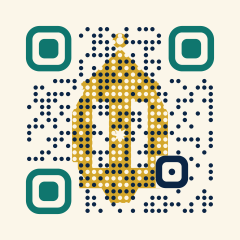
A lantern glowing between the code’s dots, for iftar table cards, charity appeals and the hours on your door.
Free plan: 3 dynamic codes and unlimited static codes · No credit card
The short answer
In the editor’s Style tab, choose the Ramadan lantern theme: a gold lantern shows between the code’s dots, error correction is set to level H automatically, and the result is still a standard QR code that ordinary phone cameras read. Print it at least 2.5 cm (1 in) wide on iftar menus and table cards, link it to a page with your iftar times, menu or appeal, and make it dynamic: Ramadan 2027 is expected to begin around 8 February, and the confirmed date depends on the moon sighting.
Pick a theme
How to make a Ramadan QR code
Choose what the month needs
An iftar menu and booking page for a restaurant, opening hours for a shop or clinic whose hours change, a donation page for a charity, or the details of a community iftar. One clear purpose per printed item.
Create a dynamic URL code
Save a dynamic code and name it after the item, such as “Iftar table card”. The page behind it can change through the month without a reprint.
Apply the Ramadan lantern theme
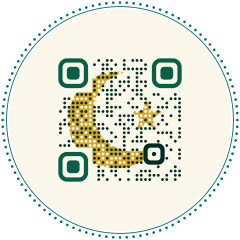
In Style, open Holiday & art themes and choose Ramadan lantern. Halo and Badge are calm, year-round round designs; Eid crescent suits the end of the month.
Lay out the card
Under Print design, the Table card layout fits restaurant tables and the Invitation layout fits iftar invitations. The headline is yours: write it in whichever language your guests use.
Proof in evening light
Iftar is the meal at sunset, often eaten under warm, low lighting. Print a sample, put it on a table where guests will sit and scan it after dark.
Size, distance and placement
- Code type
- Dynamic URL code with the Ramadan lantern theme; standard QR with level H error correction
- Iftar table card
- Read at 30–50 cm: 3–4 cm (1.2–1.6 in)
- Menu or takeaway bag
- At least 2.5 cm (1 in) on a matte, light area
- Door or window notice with opening hours
- Read from 1–2 m: 10–20 cm (4–8 in)
- Charity appeal poster
- Link to the charity’s own donation page; QR Maker does not take payments
- Dates
- Ramadan is expected to begin around 8 February 2027 and 28 January 2028; local moon sighting can move it by a day
- End of the month
- Repoint to Eid prayer times, an Eid greeting or your regular menu
Why Ramadan print works best with a dynamic code
Ramadan lasts a whole month and its practical details shift: iftar is at sunset, so its time moves a little each day, the first day depends on the moon sighting, and many people give their zakat during the month. A static code would lock a table card or poster to whatever was true on the day it was printed. A dynamic code lets you keep one page current, with tonight’s iftar time, this week’s menu or the progress of an appeal, and at the end of the month point the same print at your Eid page. The lantern theme is free on every plan; blending your own artwork into the code is Pro.
Common mistakes
Tip: for a community iftar, link the invitation to a page with the address, the start time and the sign-up form you already use. Update the start time on the page as sunset moves, and the printed invitations stay right.
Frequently asked questions
Is there a QR code theme for Ramadan?
Yes. Ramadan lantern draws a gold lantern between the code’s dots on a light background. It is free, keeps the corner markers solid and uses error correction level H, so ordinary phone cameras read it.
When does Ramadan start in 2027?
It is expected to begin around 8 February 2027 by the Umm al-Qura calculation, but many communities wait for the local moon sighting, so the first day can differ by a day. Keep dates on the page behind the code.
Can I use the same code for Ramadan and Eid?
Yes, if it is dynamic. Point it at your iftar menu during the month and switch it to Eid prayer times or a greeting when the month ends. The Eid crescent theme is there if you would rather print a new design for Eid.
Does the QR code collect donations itself?
No. A QR code only opens a page. Point it at your charity’s own donation page or payment provider; QR Maker does not process payments.