QR Code Labels for Equipment Manuals and SDS
On this page
A QR code label on a machine lets an operator open its manual, daily checklist or maintenance log on a phone or tablet at the machine, instead of walking to an office binder. The setup that works is one dynamic code per machine, created in bulk, a safety data sheet code that anyone on the floor can open without a password, and a password only on documents meant for trained staff.
This guide shows the setup in QR Maker AI and what US safety rules say about putting safety data sheets behind a screen.
Facts checked on 26 October 2026.
What OSHA says about safety data sheets on a screen
In the US, the Hazard Communication Standard requires employers to keep safety data sheets for each hazardous chemical "readily accessible during each work shift to employees when they are in their work area(s)". Electronic access is allowed "as long as no barriers to immediate employee access in each workplace are created by such options" (29 CFR 1910.1200(g)(8)).
OSHA's safety data sheet brief says the sheets may be kept on computers as long as employees have immediate access "without leaving their work area when needed" and "a back-up is available for rapid access to the SDS in the case of a power outage or other emergency" (OSHA 3514). A 1997 OSHA letter says employers need a back-up system for emergencies "including power-outages, equipment failure, on-line access delays" (OSHA interpretation, 30 December 1997).
Three practical consequences for a QR code:
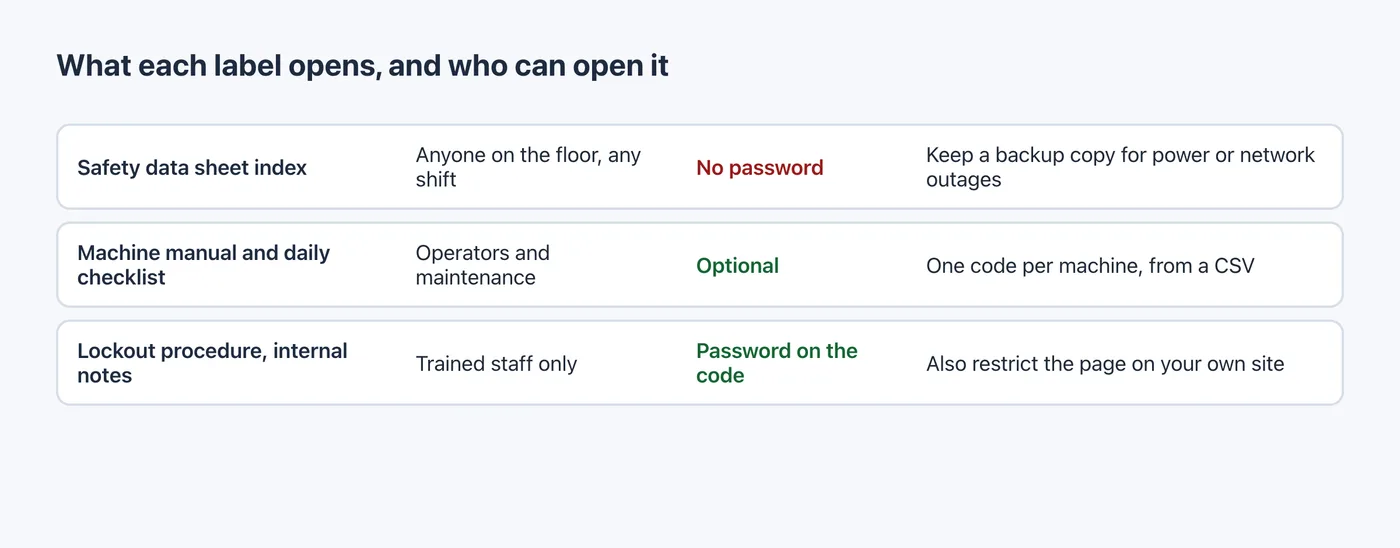
- No password on the safety data sheet code. None of these OSHA texts mentions passwords, but a password a worker has to remember could become the kind of barrier the rule talks about.
- The code is a shortcut, not the system. Workers need a phone or a shared tablet at hand, and the page has to load on the shop floor's network.
- Keep the backup. A binder or a local copy still has to be there when the network or power is down.
This is not legal advice. Your state plan or another country's rules may differ.
Step 1: one code per machine from a CSV
List the machines in a spreadsheet with a name and the page that holds each machine's manual and checklist. A name that contains a comma must be wrapped in double quotes:
name,url
Line A - Press 01 - manual & checklist,https://example.com/plant2/line-a/press-01
Line A - Press 02 - manual & checklist,https://example.com/plant2/line-a/press-02- Open Bulk, paste the rows into CSV input or click Upload .csv.
- Check the number of valid rows it detects, then click the button that shows it, such as Create 5 QR codes.
- Click Download ZIP (PNG) and send the images to your label printer.
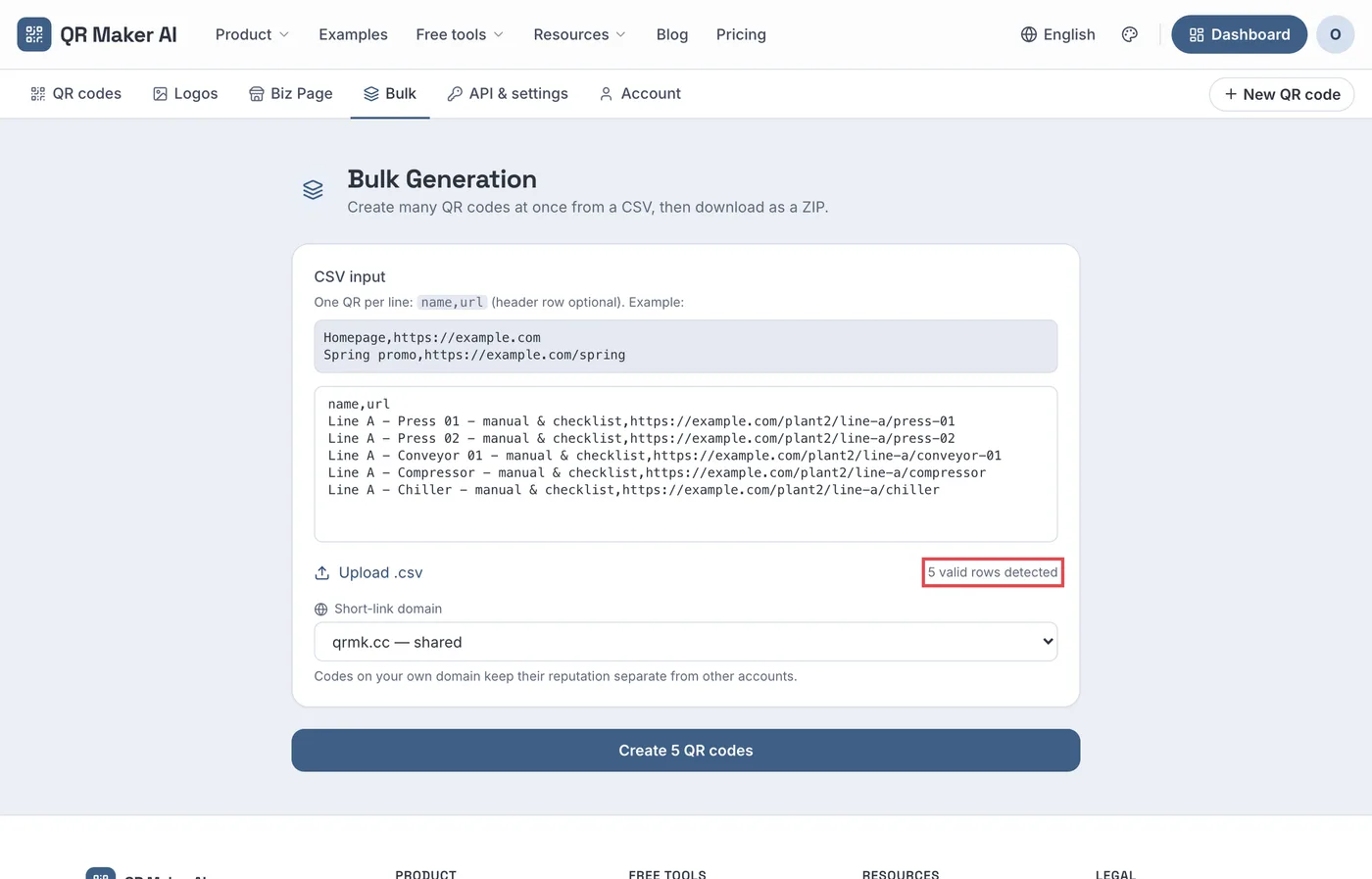
Screenshot from a demo account with sample data.
Point each code at a page you control, such as a page on your intranet or document system, rather than at a file name that will change with the next revision. When the manual is updated, you change the destination, not the label.
Step 2: group by line and see what gets used
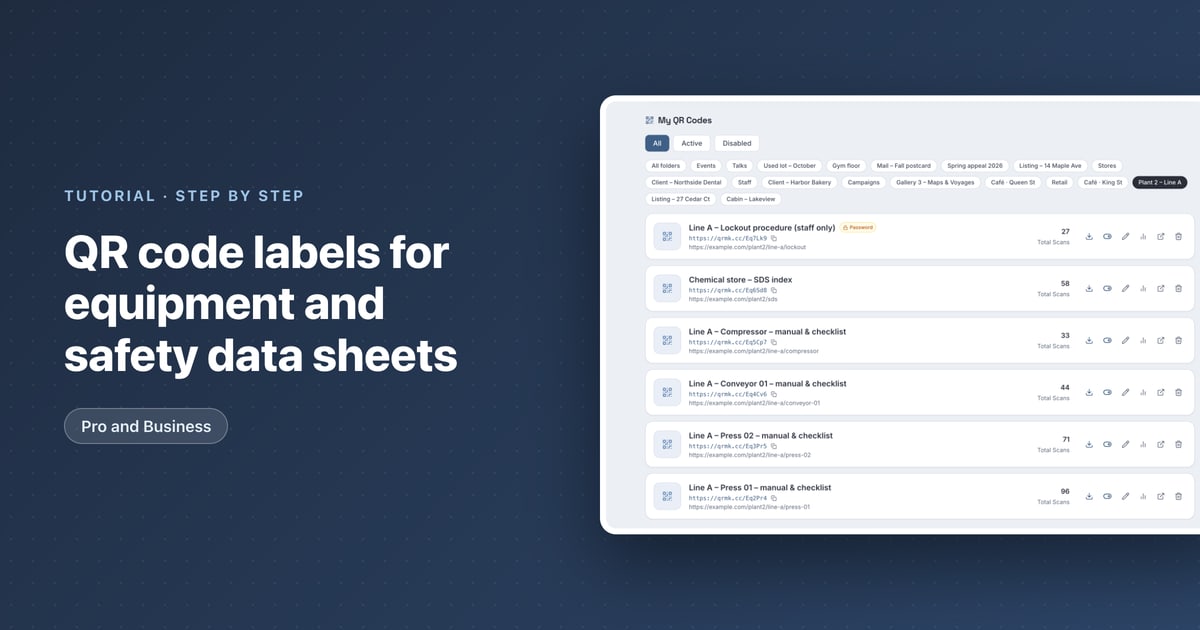
The bulk page reads only a name and a URL, so set a Folder in each code's Settings, for example "Plant 2 – Line A". The dashboard then shows the line's codes and how often each was scanned.
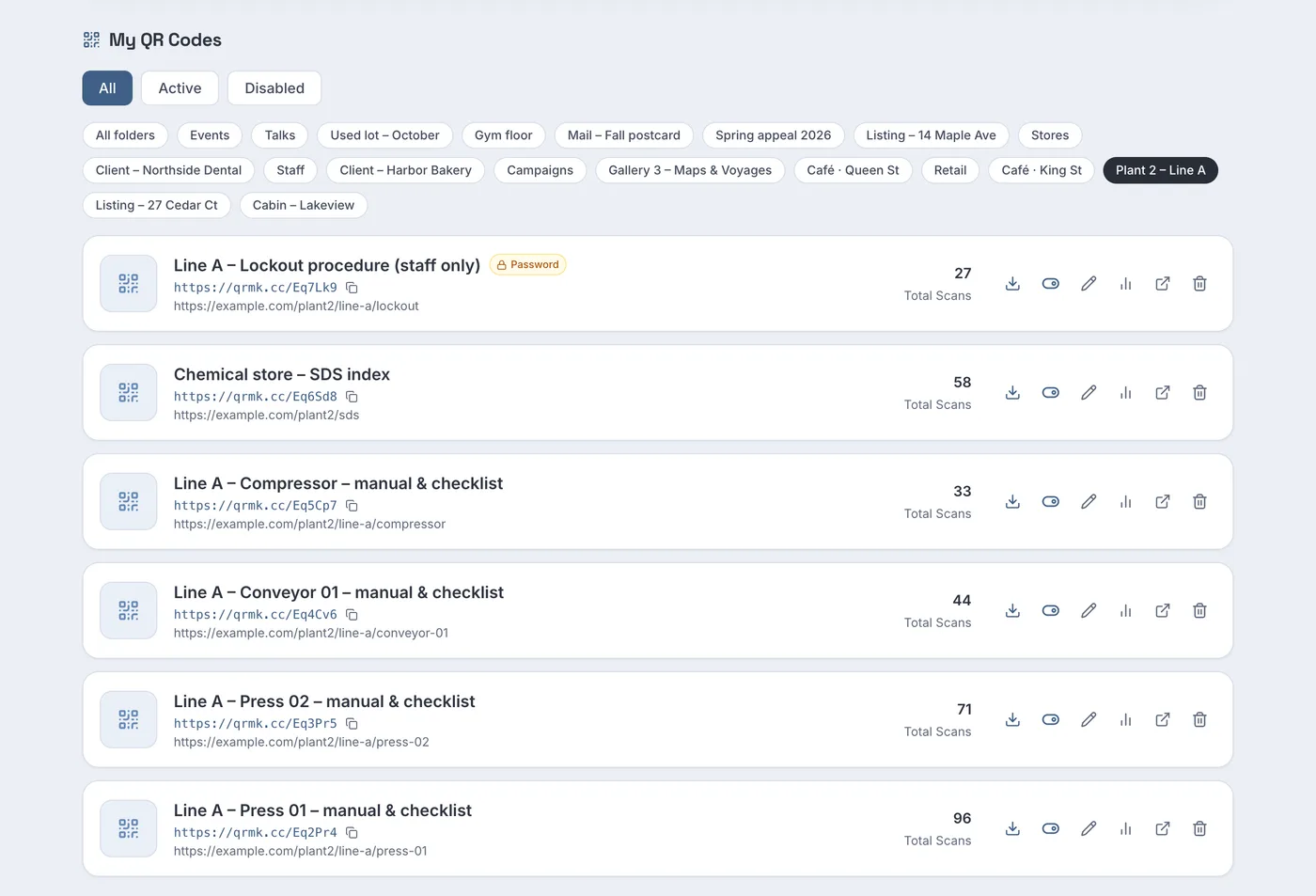
In the sample line, Press 01's label has 96 scans, Press 02's 71 and the compressor's 33. A machine whose label is never scanned may have a manual nobody needs, or a label nobody can find. Each code's heatmap also shows which shifts use it.
Step 3: a password for staff-only procedures
Some documents are not for everyone who walks past, such as an internal lockout procedure or supplier notes. On Pro and Business you can add a password to a code:
- Open the code with the pencil Edit button and go to Settings.
- Under Access control, type a Password of at least 8 characters.
- Click Save QR Code. The dashboard marks the code with a Password badge.
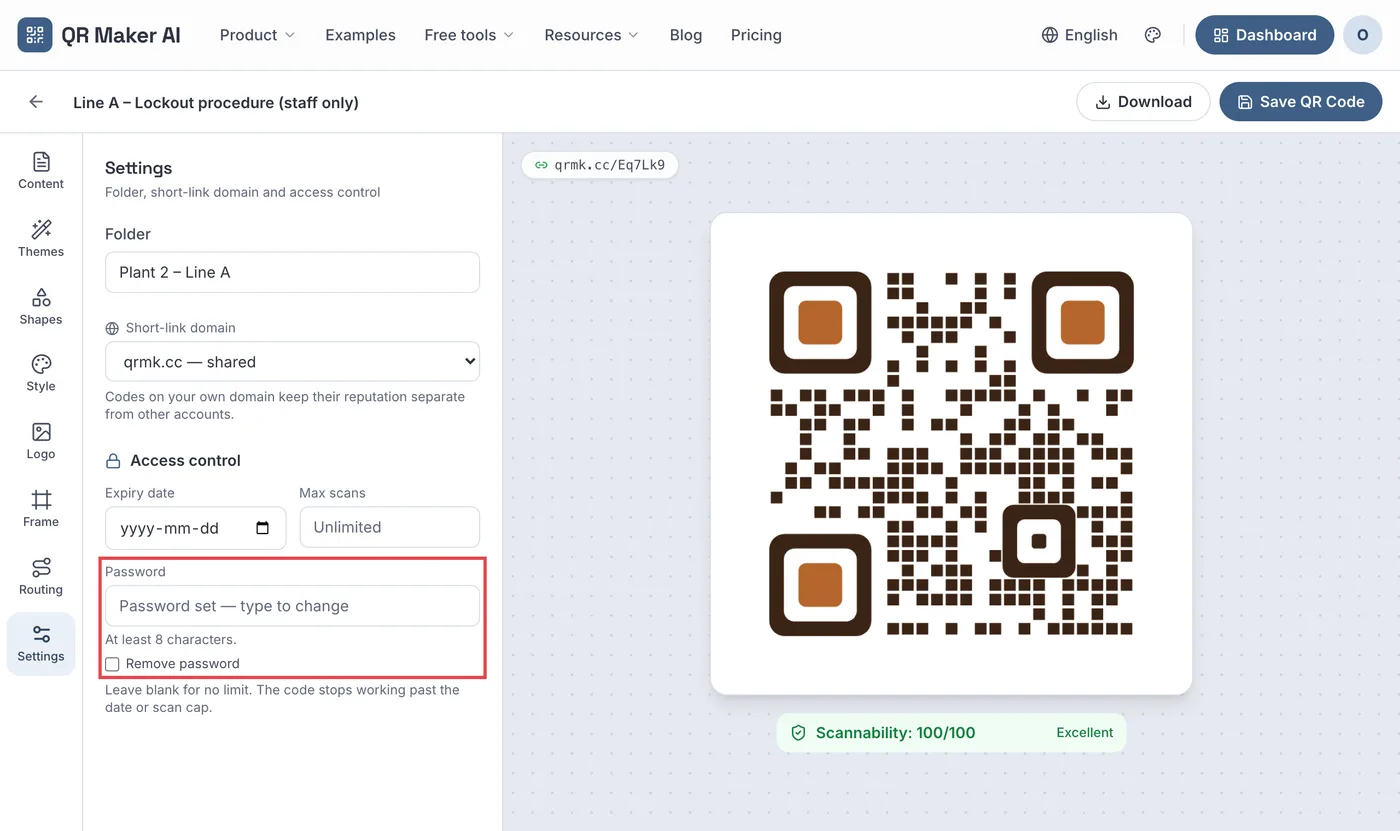
Scanning the code now opens a password page first. Plan for three behaviours:
- The password is asked every time. The page sets no cookie, so a worker types it on each scan.
- Too many wrong guesses lock the code for a while. After 30 failed attempts within 15 minutes, everyone has to wait, including staff who know the password.
- The password protects the short link, not the page. Anyone who has the destination address itself can open it, so restrict the page on your own system as well.
Give the password only to the people who need the document. NIST's glossary describes least privilege as restricting access "to the minimum necessary to accomplish assigned tasks" (NIST CSRC). Never add a password to the safety data sheet code.
Step 4: make the label readable on the floor
- Contrast. DENSO WAVE, which holds the QR Code trademark, advises printing codes "with black on a white background" (DENSO WAVE FAQ).
- Margin. The same FAQ says "a white space worth 4 modules is needed around it". Do not let the label's border or text crowd the code.
- Size for the distance. A label read at arm's length can be small; one on a guard rail read from a step away cannot. The QR code size calculator gives a minimum size for a scanning distance.
- Placement. Put the label where a person can stand safely while scanning, not on a moving part or behind a guard.
Test every label once in place, with the phones or tablets the crew actually uses.
Which plan you need
| What you want | Free | Pro | Business |
|---|---|---|---|
| Dynamic codes, one per machine | 3 active codes, 500 tracked scans a month | Unlimited | Unlimited |
| Bulk creation from a CSV, ZIP of PNGs | No | Yes | Yes |
| Password on a code | No | Yes | Yes |
| Read-only access for supervisors, scan CSV export | No | No | Yes |
| Price as of October 2026 | $0 | $3.99 a month or $34.99 a year | $29 a month or $279 a year |
A plant with more than three labelled machines needs Pro. Business adds read-only team access for supervisors and a scan export for audits. The asset tags use case page has more ideas, and plans are on the pricing page.
FAQ
Can safety data sheets be accessed by QR code?
OSHA allows electronic access to safety data sheets if it creates no barrier to immediate access in the work area and a backup is available during power outages or other emergencies. A QR code can be the shortcut, but keep the backup.
Should a safety data sheet QR code have a password?
No. OSHA's texts do not mention passwords, but a password a worker has to remember could become a barrier to immediate access, and the standard permits electronic access only without such barriers. Put passwords only on staff-only documents.
What happens when the equipment manual is updated?
Change the code's destination to the new version or keep the same page and update it. The printed label stays on the machine.
Who can see how often each label is scanned?
The account owner. On Business, supervisors can also be invited as read-only team members who see every code's analytics but cannot change anything.
Sources
- Occupational Safety and Health Administration — 29 CFR 1910.1200, Hazard Communication. Accessed 25 October 2026.
- Occupational Safety and Health Administration — Hazard Communication Standard: Safety Data Sheets (OSHA 3514). Brief dated February 2012. Accessed 25 October 2026.
- Occupational Safety and Health Administration — Manufacturer and employer responsibilities when providing MSDSs electronically. Letter of interpretation, 30 December 1997. Accessed 25 October 2026.
- National Institute of Standards and Technology — least privilege. CSRC Glossary, definition from CNSSI 4009-2022. Accessed 25 October 2026.
- DENSO WAVE — FAQ. QRcode.com, undated. Accessed 25 October 2026.