The short answer
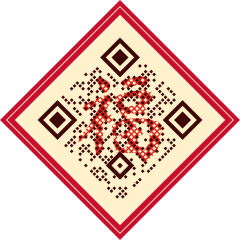
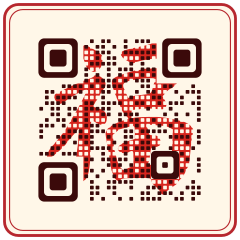
Open the editor, choose the Lunar New Year · Fu theme under Style, and the code is redrawn so its dots form the Fu (福) character in brush calligraphy. It is still a standard QR code that ordinary phone cameras read, and the editor switches it to the highest error-correction level (H) automatically. Print it at least 2.5 cm (1 in) wide, keep its cream background panel, and use a dynamic code so you can change the page after the holiday.



How to make a Fu QR code for Lunar New Year
Decide what the code opens
A New Year greeting page, holiday opening hours, a festive menu, a red-envelope promotion or a donation page. One clear destination per printed item works best.
Create a dynamic URL code
Paste the link and save it as a dynamic code. Festival print runs are large and ordered early, so being able to fix the link later matters more than usual.
Pick a Lunar New Year theme
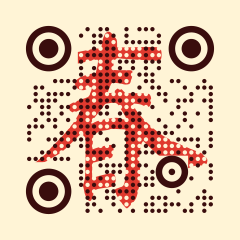
In the Style tab, open Holiday & art themes. Choose Fu, Upside-down Fu (the “good fortune has arrived” pun), Fu on red paper (a diamond doufang), Fu seal, Spring (Chun) or Red lantern. Every theme is free.
Watch the scannability score
The preview re-reads the design and scores it before you download. If you change the pattern color or the dot size under Fine-tune, check the score again: dots smaller than the default are harder to read.
Proof on the real paper
Print one copy on the red envelope, card or couplet stock you will use and scan it with an iPhone and an Android phone. Red and gold papers change contrast more than you expect.
Size, distance and placement
- Code type
- Dynamic URL code with a Lunar New Year theme; a standard QR code read by ordinary camera apps
- Error correction
- Level H, set automatically for every art theme
- Red envelope or greeting card
- Minimum 2.5 cm (1 in); 3 cm is more comfortable
- Couplet, door sign or window decal
- Read from 1–2 m: 10–20 cm (4–8 in)
- Background
- Keep the theme’s cream panel; do not print the code straight onto red paper
- Finishes
- Gold foil and glitter belong around the code, never over it
- Dates
- Lunar New Year falls on 6 February 2027 and 26 January 2028; send files to print 3–4 weeks ahead
Why a dynamic code suits Lunar New Year
Festival print is ordered weeks ahead and stays on doors and walls long after the holiday; couplets often stay up all year. A static code locks that print to one page forever. A dynamic code can open the New Year promotion now, the regular menu in March, and next year’s greeting when the same decorations go back up, without reprinting. Scan counts show which item people actually scanned: the red envelope, the window decal or the table card. The theme is free on every plan; blending your own photo or artwork into the code is a Pro feature.
Common mistakes
Tip: the upside-down Fu is a pun that Chinese-speaking audiences enjoy, but others may read it as a printing mistake. For a mixed audience, use the upright Fu or the red lantern.
Frequently asked questions
Can a QR code really look like the Fu character and still scan?
Yes. Scanners read the center of each module, so the editor draws each module as a dot and lets the brush-script Fu show between the dots. The corner markers stay solid and error correction is set to H. Always test a printed proof.
Is the Fu QR code theme free?
Yes. All holiday themes, including Fu, Upside-down Fu, Fu on red paper and Red lantern, are free on every plan. Blending your own photo into a code requires Pro.
Will it scan in messaging and payment apps as well as the camera?
It is a standard QR code, not a proprietary in-app code, so apps that read normal QR codes can read it. Test it in the apps your audience actually uses before you print.
Where does the Fu calligraphy come from?
The characters are taken from brush fonts published under the SIL Open Font License, not copied from a calligrapher’s artwork, so they can be used on commercial print.